
Tower Rush App, APK and Mobile Play
Tower Rush works on Android, iPhone and tablets through compatible casino websites and browser-based demos. A separate Tower Rush APK is not required.
That distinction matters because app stores and download sites contain unrelated games using the same name.
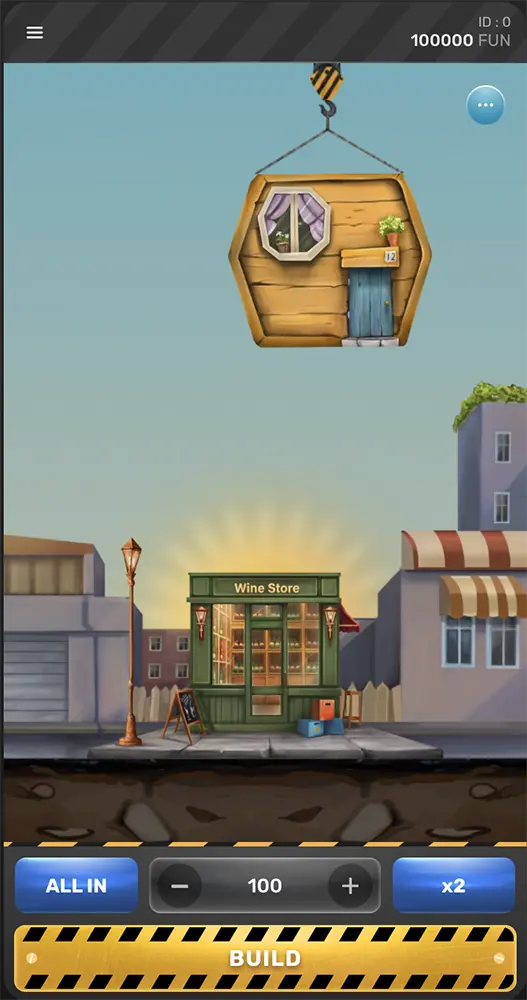
Can You Play Tower Rush on a Phone?
Galaxsys provides mobile access to the game, and casinos can load Tower Rush through a responsive browser lobby. The core controls suit a touchscreen: stake, Build and Cash Out.
The Tower Rush Demo Guide covers free browser play before moving to a casino.
Real-money mobile access usually comes through:
- a casino website in a mobile browser;
- an official casino Android app;
- an official casino iOS app, where available;
- a progressive web app added from the casino website.
The Galaxsys version remains identifiable by its provider label, floor-building mechanic and three bonus floors.
Tower Rush in a Mobile Browser
Browser play avoids sideloading and keeps the game connected to the casino account.
Android
A current Chrome version is a sensible starting point. Firefox, Edge and other modern browsers may also work, depending on the casino wrapper.
The casino may require cookies, provider scripts, pop-ups or full-screen permission. If the game frame remains blank, allow the required browser features and reload it from the casino lobby.
iPhone and iPad
Safari is generally the most compatible option on iOS. Some casinos use mobile web or a home-screen web app rather than a native App Store download.
Full-screen mode and landscape orientation can help when the game opens inside a cramped embedded frame.
Is There an Official Tower Rush App?
Galaxsys does not list a standalone Tower Rush app for players. The game is normally accessed through casino websites and casino apps.
A casino app may contain Tower Rush alongside hundreds of other titles. It is an operator product, not a standalone Galaxsys release.
Two products can share the title and have nothing else in common.

Tower Rush APK and App Safety
An APK is an Android installation file. Browser play does not need one.
A casino may distribute its own Android APK outside Google Play. Download a casino APK only from the operator’s verified website, and check that its publisher, package name and permissions match the casino.
Warning signs include:
- a generic file-sharing host;
- promises of guaranteed withdrawals or unlimited credits;
- predictor or signal features;
- no operator or provider identity;
- requests for contacts, SMS, accessibility control or device-admin access;
- a package name unrelated to Galaxsys or the casino;
- an app centred on troops, coin farming or earning tasks rather than Build and Cash Out.
A modified APK cannot force a casino server to validate a payout. It can steal credentials, wallet data and authentication codes.
Google Play and App Store Results With the Same Name
A search for “Tower Rush” can return strategy, reflex, idle and earning games.
The Galaxsys casino version has these markers:
- Galaxsys provider credit;
- floor-by-floor tower building;
- Build and Cash Out controls;
- Frozen Floor, Temple Floor and Triple Build;
- casino or provider integration.
A store listing built around base defence, troops or cash-reward tasks is a different product.

Casino App vs Mobile Browser
| Feature | Mobile browser | Casino app |
|---|---|---|
| Installation | None | Native app or APK |
| Updates | Automatic on the website | App update required |
| Storage use | Low | Higher |
| Login | Browser session | App session |
| Notifications | Limited | More common |
| What to verify | Domain and login page | Publisher, package and file source |
| Game availability | Can vary | Can vary |
| iPhone access | Widely available | Depends on App Store and region |
A verified casino app can offer biometric login, quicker navigation and account notifications. It does not improve Tower Rush RTP or outcomes.
Add Tower Rush to the Home Screen
A home-screen shortcut can make browser play feel app-like without installing an unknown file.
Android
In Chrome:
- Open the casino or demo page.
- Open the browser menu.
- Select Add to Home screen or Install app.
- Confirm the name and icon.
iPhone and iPad
In Safari:
- Open the page.
- Tap Share.
- Select Add to Home Screen.
- Confirm.
The shortcut still opens the browser version and follows the same casino account rules.
Mobile Controls and Layout
A usable mobile layout keeps the essential controls visible without zooming:
- stake;
- Build;
- Cash Out;
- current multiplier;
- potential return;
- balance;
- game menu.
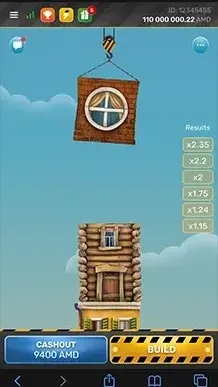

Landscape gives the tower more space and can keep the stake and cash-out controls clear. Portrait is convenient for one-handed play when the casino wrapper is properly responsive.
Accidental taps are easier on a small screen. A second glance at the active stake before pressing Build can prevent a simple input mistake.
Mobile vs Desktop
| Area | Mobile | Desktop |
|---|---|---|
| Controls | Touch | Mouse or trackpad |
| Screen space | Compact | Larger |
| Portability | High | Low |
| Accidental input | More likely | Less likely |
| Layout | Portrait or landscape variant | Usually widescreen |
| Account rules | Same casino account | Same casino account |
The game mathematics do not change because the screen is smaller. RTP differences come from the casino configuration, not device type.
Tower Rush Not Loading
Black Screen or Endless Loading
Common fixes include:
- reloading the page;
- updating the browser;
- allowing required cookies and scripts;
- pausing a content blocker for the game page;
- clearing the site cache;
- switching between Wi-Fi and mobile data;
- closing memory-heavy apps;
- reopening the game through the casino lobby.
Controls Cut Off
Landscape mode, full-screen view or hiding browser toolbars can restore the missing area. Browser zoom can make touch controls less reliable.
Sound or Animation Problems
Silent mode, site audio permission and power-saving settings can affect sound and animation. Older phones may throttle the game when battery-saving mode is active.
Game Missing From the Mobile Lobby
The mobile catalogue may differ from desktop. Country, account and provider restrictions can also hide the title.
Tower Rush may sit under Fast Games, Turbo Games, Arcade & Crash or the Galaxsys provider section rather than Slots.
Data, Battery and Connection
Tower Rush is browser-based and does not require a high-end phone. Animated casino games still consume more battery and data than a static page.
A stable connection matters when a Build or Cash Out request is sent. Initial asset loading usually uses more data than later rounds in the same session.
Public Wi-Fi adds account-security risk. Two-factor authentication and a password manager provide more value than a gaming booster or predictor app.
Playing for Real Money on Mobile
A working game window is only part of mobile casino play.
The operator also determines:
- legal access in the current country;
- Tower Rush RTP and payout limits;
- supported payment methods;
- KYC requirements;
- withdrawal conditions;
- deposit, loss and session controls.
Tower Rush Mobile FAQ
Does Tower Rush work on Android?
Yes, through compatible browsers and casino Android platforms.
Does Tower Rush work on iPhone?
Yes, usually through Safari or a casino iOS/web app.
Do I need to download Tower Rush?
No. Browser play requires no separate game download.
Is there an official Tower Rush APK?
Galaxsys does not list an official standalone Tower Rush APK. Casino operators may offer their own Android apps, which should only be downloaded from the operator’s verified website.
Why are there other Tower Rush apps?
The name is used by unrelated strategy, reflex and earning games.
Is a casino APK safe?
No APK is automatically safe. Download the app only from the casino’s verified website, and check the publisher, package name and requested permissions before installing it.
Can I add Tower Rush to my home screen?
Yes. Browser pages can be added as shortcuts or progressive web apps.
Is mobile RTP lower than desktop RTP?
No device rule makes mobile RTP lower. A separate operator configuration can use another RTP setting.
Why is Tower Rush not loading?
Blocked scripts, cookies, an old browser, weak connection, regional restrictions and casino maintenance are common causes.
Does Tower Rush use much mobile data?
Usage varies with game assets, animation quality, reloads and session length.
Are mod APKs real?
They cannot create valid server-side winnings and may contain malware.
Do predictor apps work?
No legitimate app can guarantee the next RNG result.
Play Tower Rush on Mobile
Open the official demo in a mobile browser, or continue to a casino offering the Galaxsys game on Android and iPhone.
